Note
Go to the end to download the full example code
Built-in unmixing methods
In this tutorial, we will use the RamanSPy’s built-in methods for spectral unmixing to perform N-FINDR and Fully-Constrained Least Squares (FCLS) on a Raman spectroscopic image. To do that, we will employ RamanSPy to analyse the fourth layer of the volumetric Volumetric cell data provided in RamanSPy.
import ramanspy

dir_ = r'../../../../data/kallepitis_data'

volumes = ramanspy.datasets.volumetric_cells(cell_type='THP-1', folder=dir_)

cell_layer = volumes[0].layer(5)  # only selecting the fourth layer of the volume
Let’s first plot a spectral slice across the 1008 cm -1 band of the image to visualise what has been captured in the image.
cell_layer.plot(bands=[1008])

<Axes: title={'center': 'Raman image'}>
We can also visualise a specific spectrum within the image.
cell_layer[30, 30].plot()

<Axes: title={'center': 'Raman spectra'}, xlabel='Raman shift (cm$^{{{-1}}}$)', ylabel='Intensity (a.u.)'>
We may need to first preprocess the spectral image to improve the results of our consecutive analysis.
preprocessing_pipeline = ramanspy.preprocessing.Pipeline([
    ramanspy.preprocessing.misc.Cropper(region=(500, 1800)),
    ramanspy.preprocessing.despike.WhitakerHayes(),
    ramanspy.preprocessing.denoise.SavGol(window_length=7, polyorder=3),
    ramanspy.preprocessing.baseline.ASLS(),
    ramanspy.preprocessing.normalise.MinMax(pixelwise=False),
])
preprocessed_cell_layer = preprocessing_pipeline.apply(cell_layer)
To check the effect of our preprocessing protocol, we can re-plot the same spectral slice as before
preprocessed_cell_layer.plot(bands=[1008])
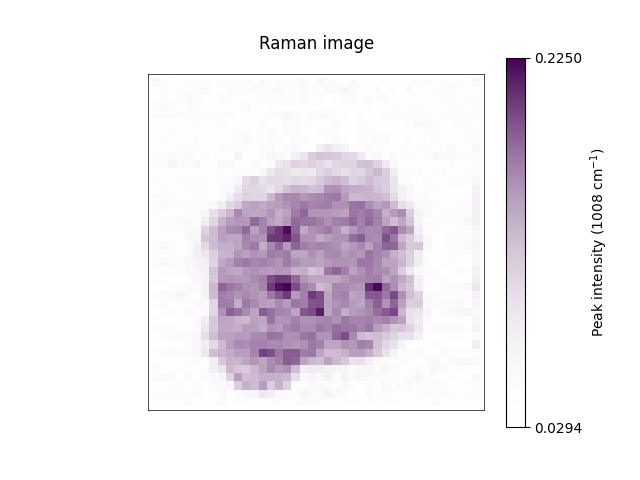
<Axes: title={'center': 'Raman image'}>
as well as the same spectra we visualised before.
preprocessed_cell_layer[30, 30].plot()
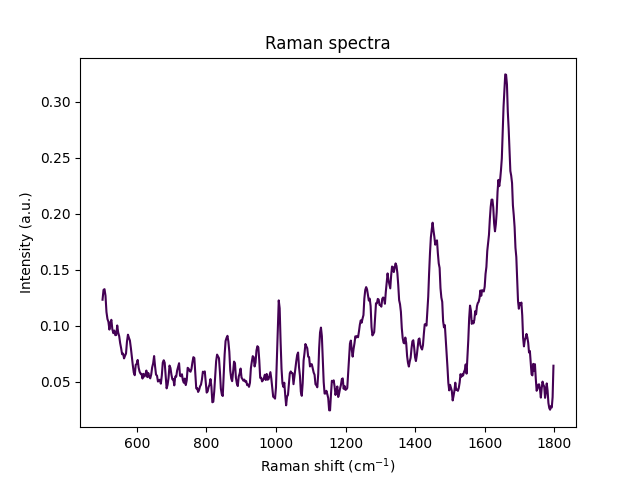
<Axes: title={'center': 'Raman spectra'}, xlabel='Raman shift (cm$^{{{-1}}}$)', ylabel='Intensity (a.u.)'>
Then, we can use RamanSPy to perform N-FINDR with 4 endmembers, followed by FCLS.
nfindr = ramanspy.analysis.unmix.NFINDR(n_endmembers=4, abundance_method='fcls')
abundance_maps, endmembers = nfindr.apply(preprocessed_cell_layer)
As a last step, we can use RamanSPy’s ramanspy.plot.spectra() and ramanspy.plot.image() methods to visualise the
calculated endmember signatures and the corresponding fractional abundance maps.
ramanspy.plot.spectra(endmembers, preprocessed_cell_layer.spectral_axis, plot_type="single stacked", label=[f"Endmember {i + 1}" for i in range(len(endmembers))])

<Axes: title={'center': 'Raman spectra'}, xlabel='Raman shift (cm$^{{{-1}}}$)', ylabel='Intensity (a.u.)'>
ramanspy.plot.image(abundance_maps, title=[f"Component {i + 1}" for i in range(len(abundance_maps))])
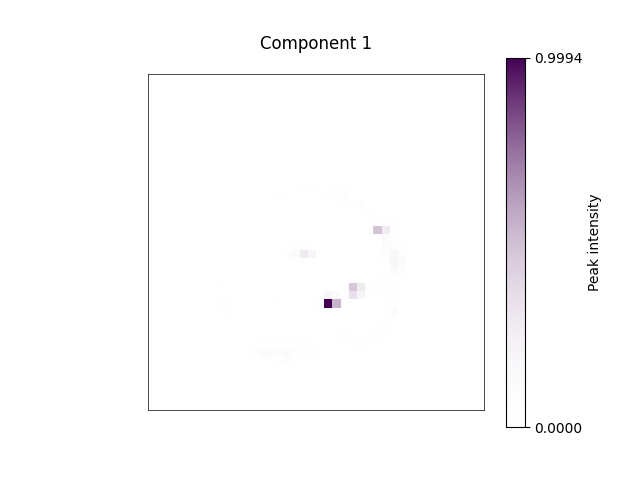


[<Axes: title={'center': 'Component 1'}>, <Axes: title={'center': 'Component 2'}>, <Axes: title={'center': 'Component 3'}>, <Axes: title={'center': 'Component 4'}>]
Total running time of the script: ( 0 minutes 6.720 seconds)