Note
Go to the end to download the full example code
Built-in protocols
To further ease the preprocessing workflow, RamanSPy provides a selection of established preprocessing pipelines, which have proved useful in the literature. Once again, users can directly access and use these out of the box.
Below, we will use RamanSPy to apply one of the available preprocessing protocols to the volumetric Volumetric cell data provided in RamanSPy.
See also
For more information on the available protocols, check Established protocols.
import ramanspy

dir_ = r'../../../../data/kallepitis_data'

volumes = ramanspy.datasets.volumetric_cells(cell_type='THP-1', folder=dir_)
We will use the first volume
cell_volume = volumes[0]

# selecting the fourth layer of the volume and visualising it before it gets preprocessed
cell_layer = cell_volume.layer(4)
cell_layer.plot(1008, title='Original Raman image')
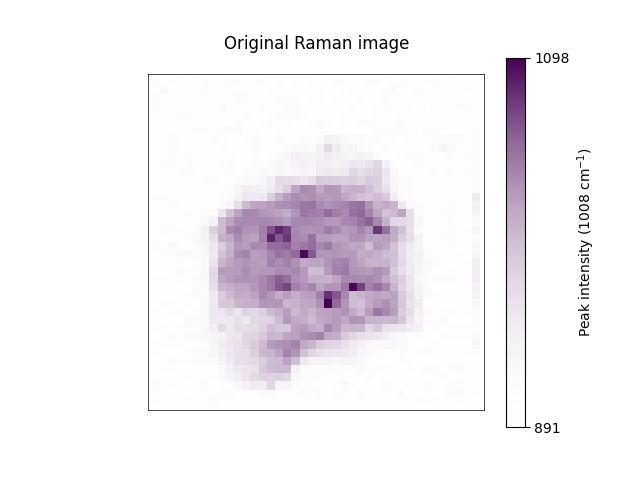
<Axes: title={'center': 'Original Raman image'}>
Instead of manually creating a custom preprocessing pipeline, users can simply access and use some of the established preprocessing protocols offered within RamanSPy. These can be accessed within the preprocessing.protocols submodule.
preprocessing_pipeline = ramanspy.preprocessing.protocols.default_fingerprint()
And, again, these protocols can be used directly as any Pipeline object through their
ramanspy.preprocessing.Pipeline.apply() method.
preprocessed_cell_layer = preprocessing_pipeline.apply(cell_layer)
Visualising the preprocessed layer.
preprocessed_cell_layer.plot(1008, title='Preprocessed Raman image')

<Axes: title={'center': 'Preprocessed Raman image'}>
Note
The protocols provided in RamanSPy work equally well on the other spectral data containers, as well as on collection of those.
Total running time of the script: ( 0 minutes 4.732 seconds)